Setting up Domains with Cloudflare
To manage your domains through our system, you need to set up your Cloudflare account and provide API access. Follow these steps to connect your Cloudflare account.
1. Open your Cloudflare dashboard. Click on your profile icon in the top right corner, then select 'Profile'.
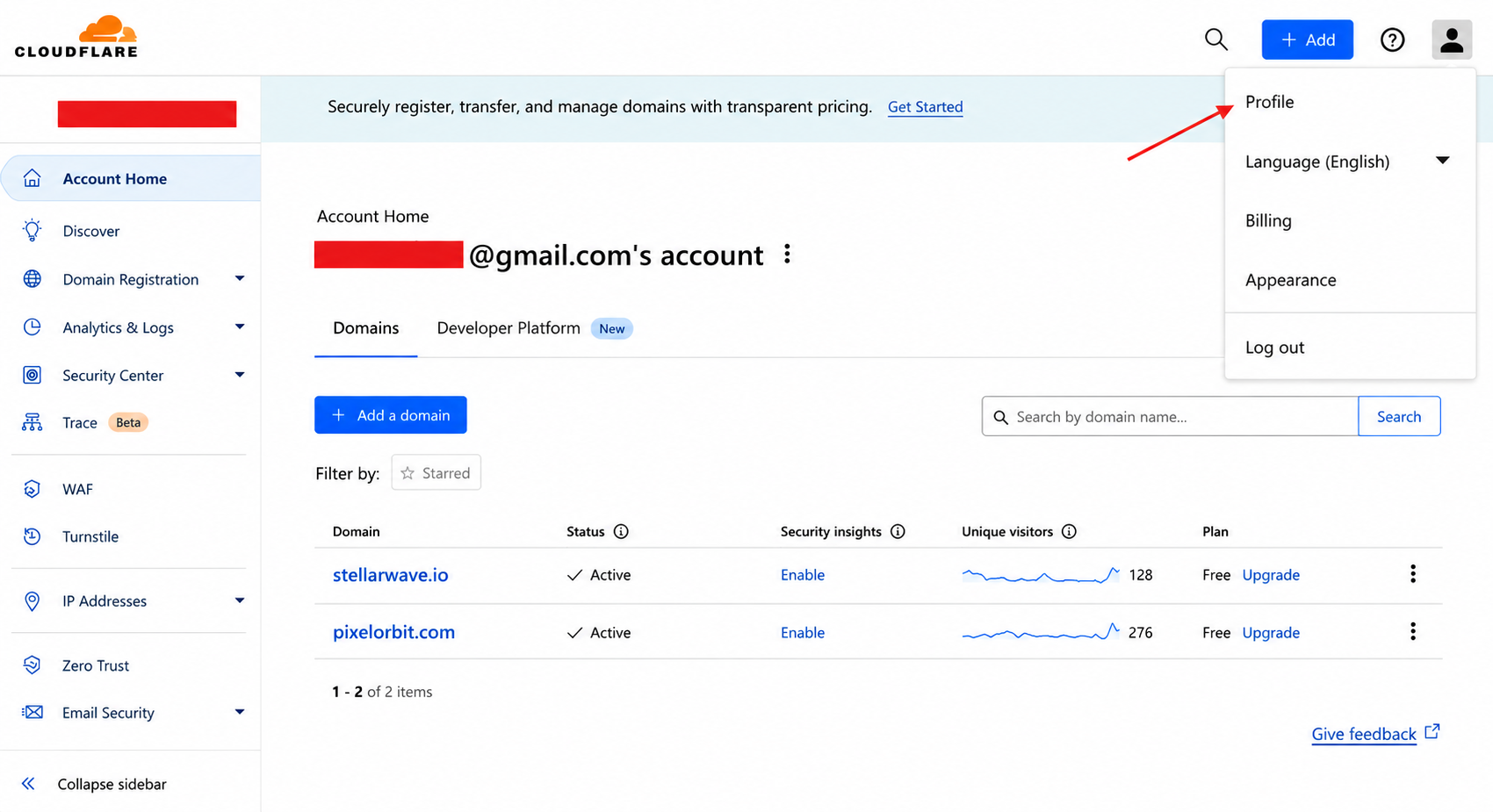
Cloudflare dashboard
2. In the profile menu, click on 'API Tokens'.
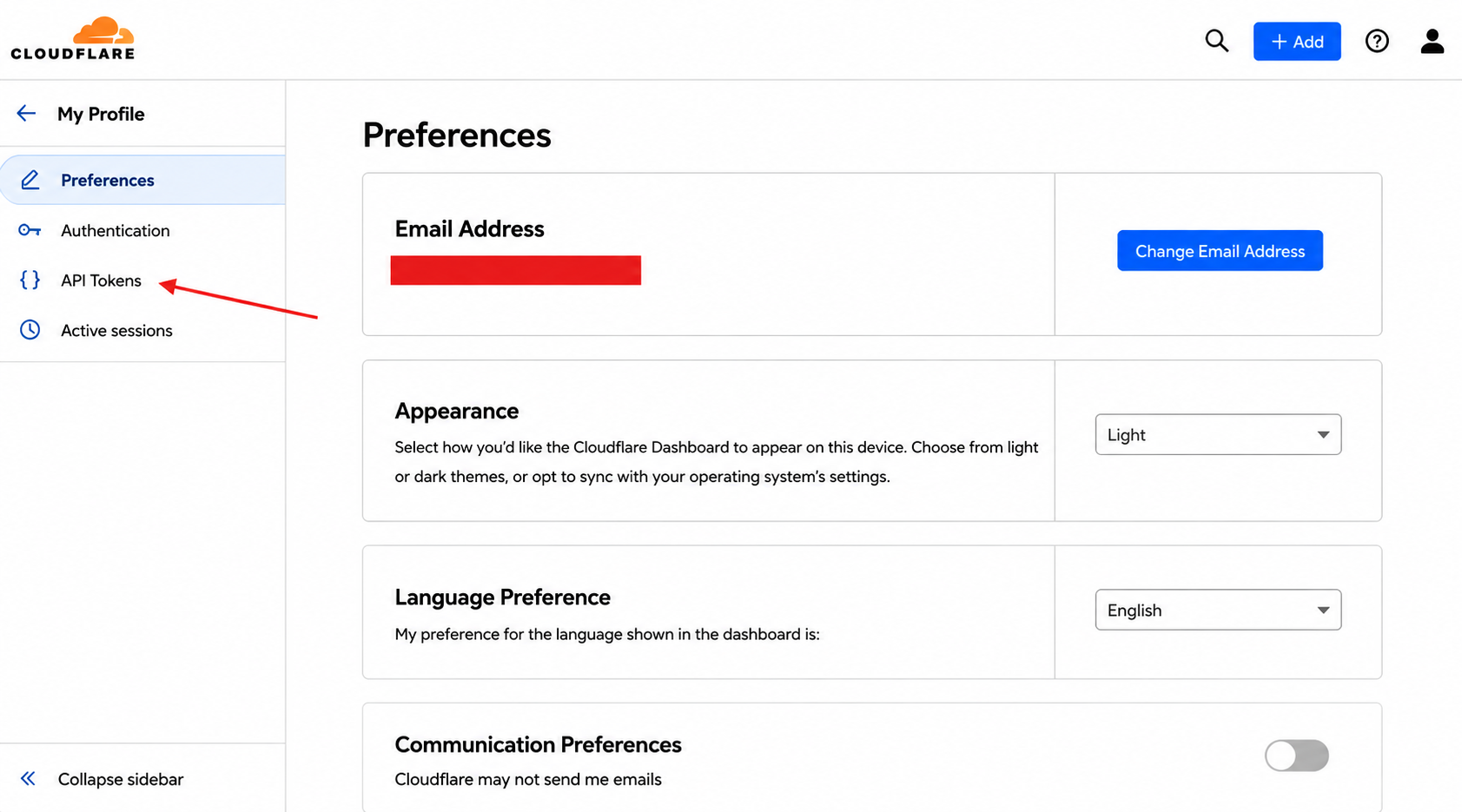
Profile menu
3. Click on 'Create Token'.
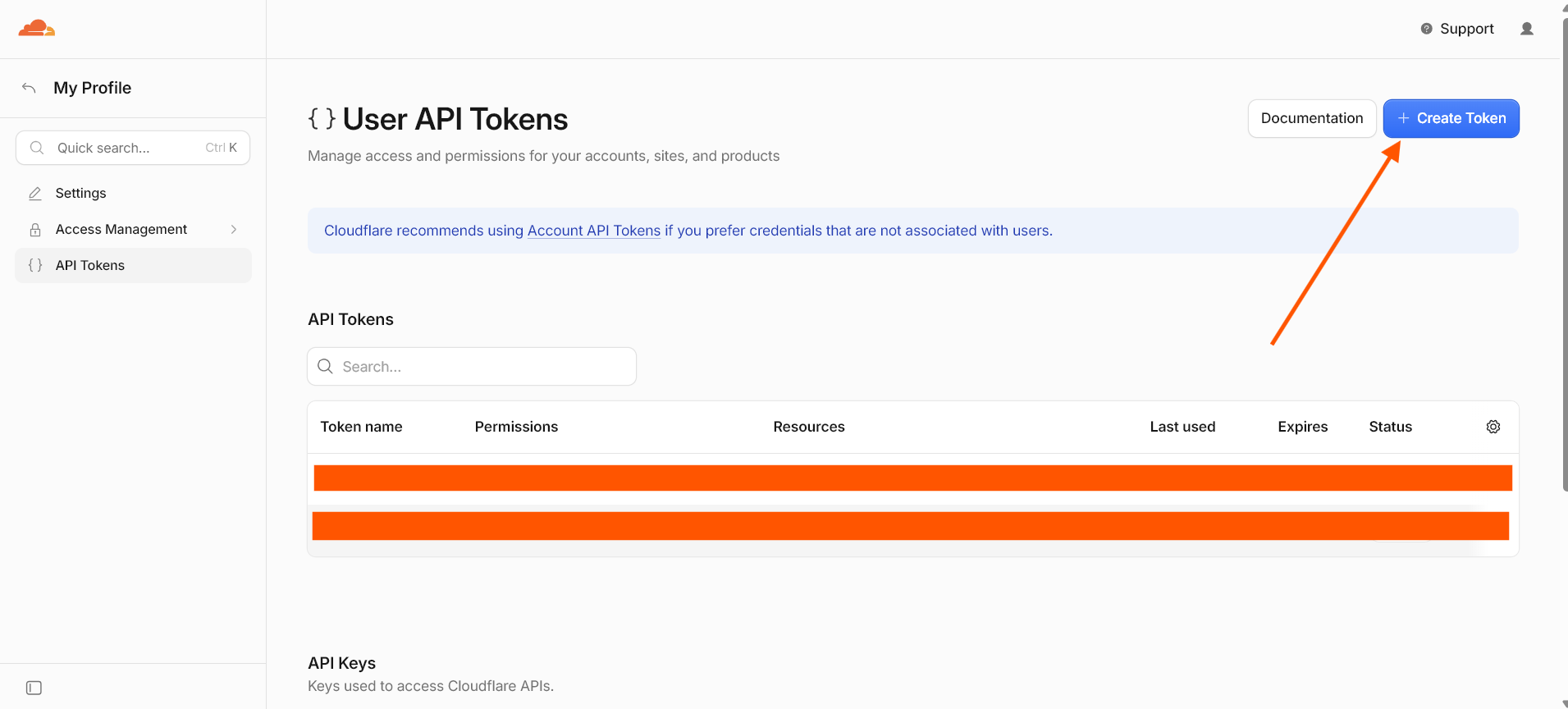
API Tokens page
4. Select the 'Edit DNS Zone' template.
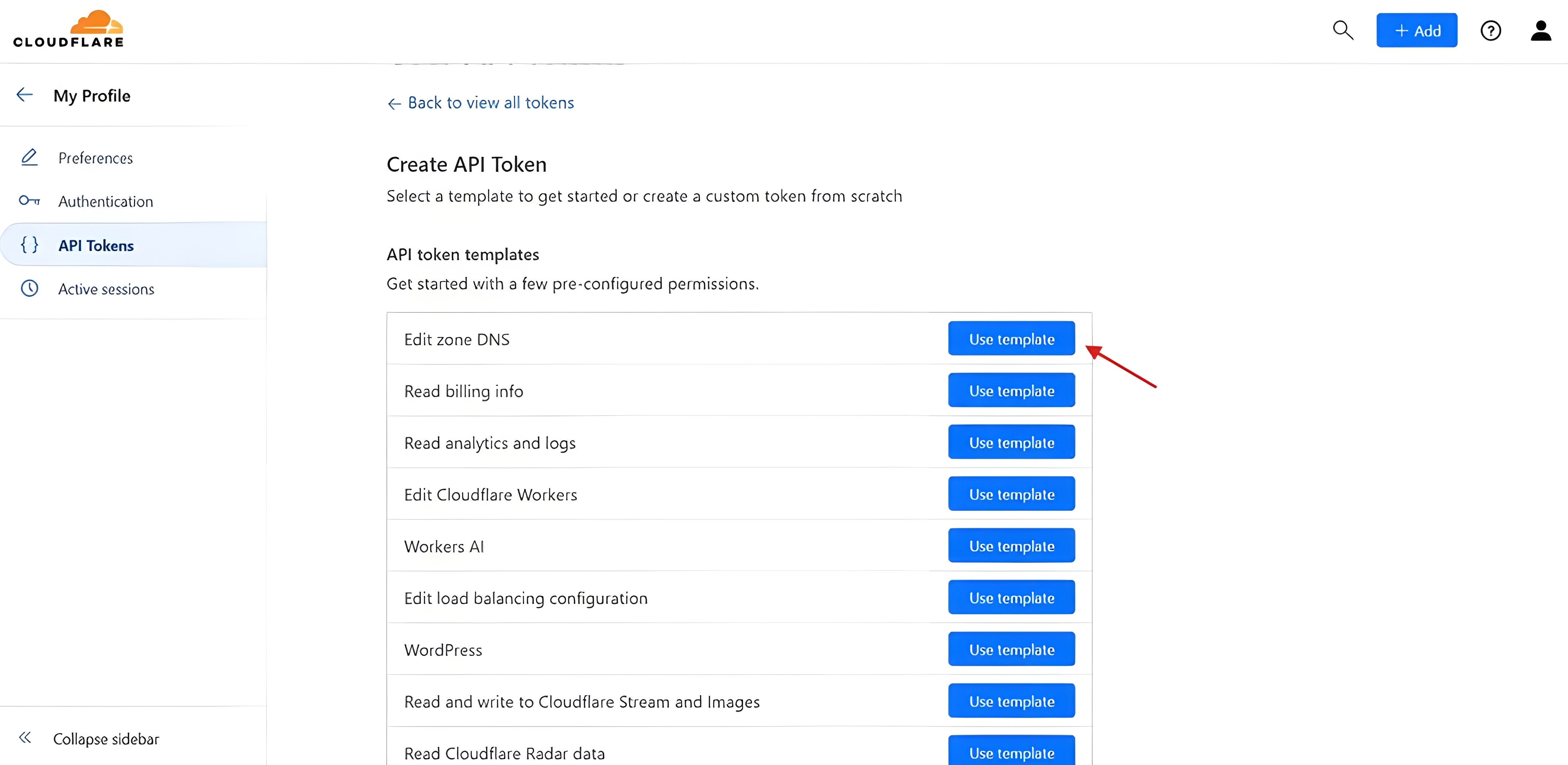
Create token page
5. Add permissions and select 'Include All Zones' as shown in the screenshot below.
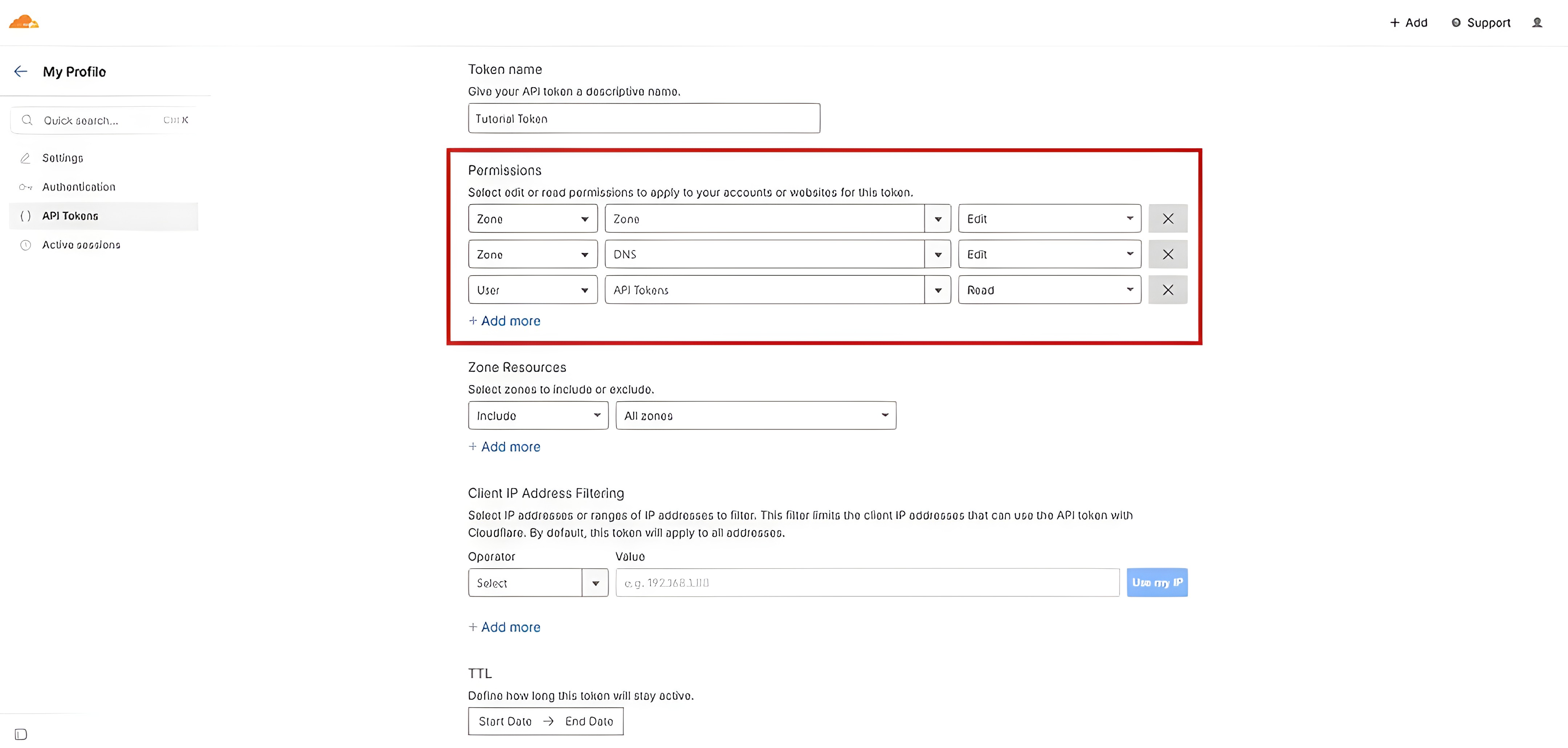
Permissions setup
6. Before creating the token, you'll see a confirmation window similar to this. Make sure the text on your screen matches the highlighted text in the screenshot below.
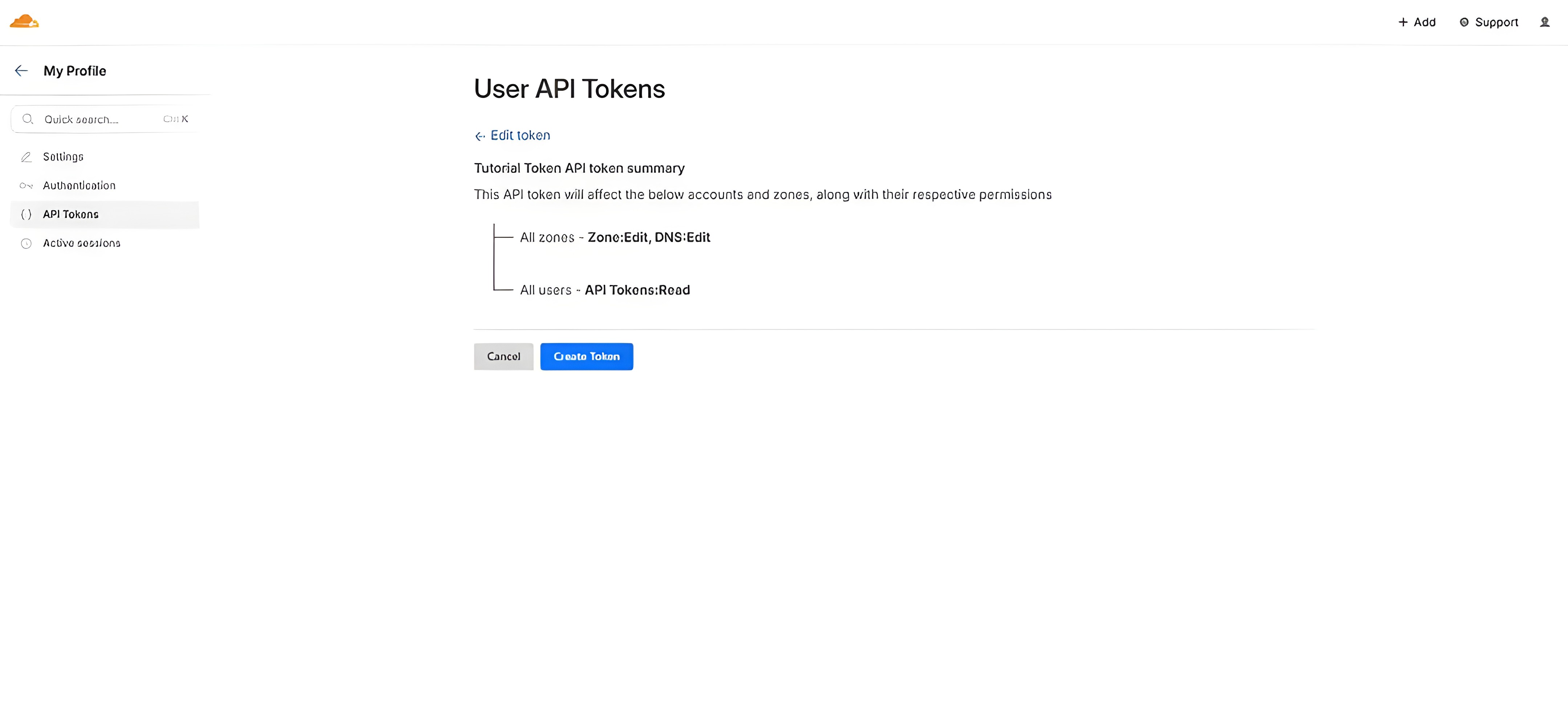
Confirmation window
7. Copy the generated token and go to the Domains page in our dashboard. Click 'Add Account'.
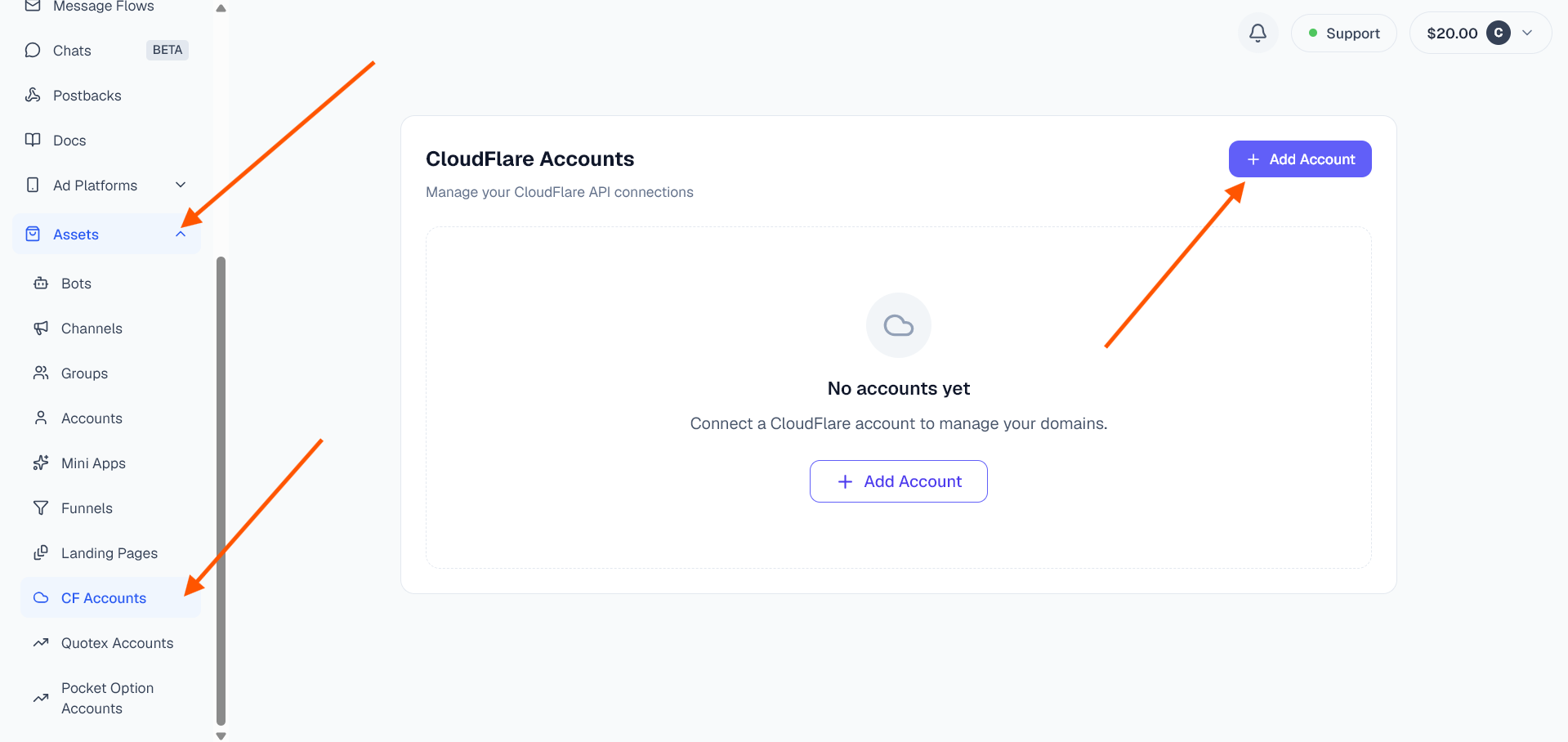
Dashboard add account
8. Give your Cloudflare account an internal label, paste the API key, and click 'Add Account'.
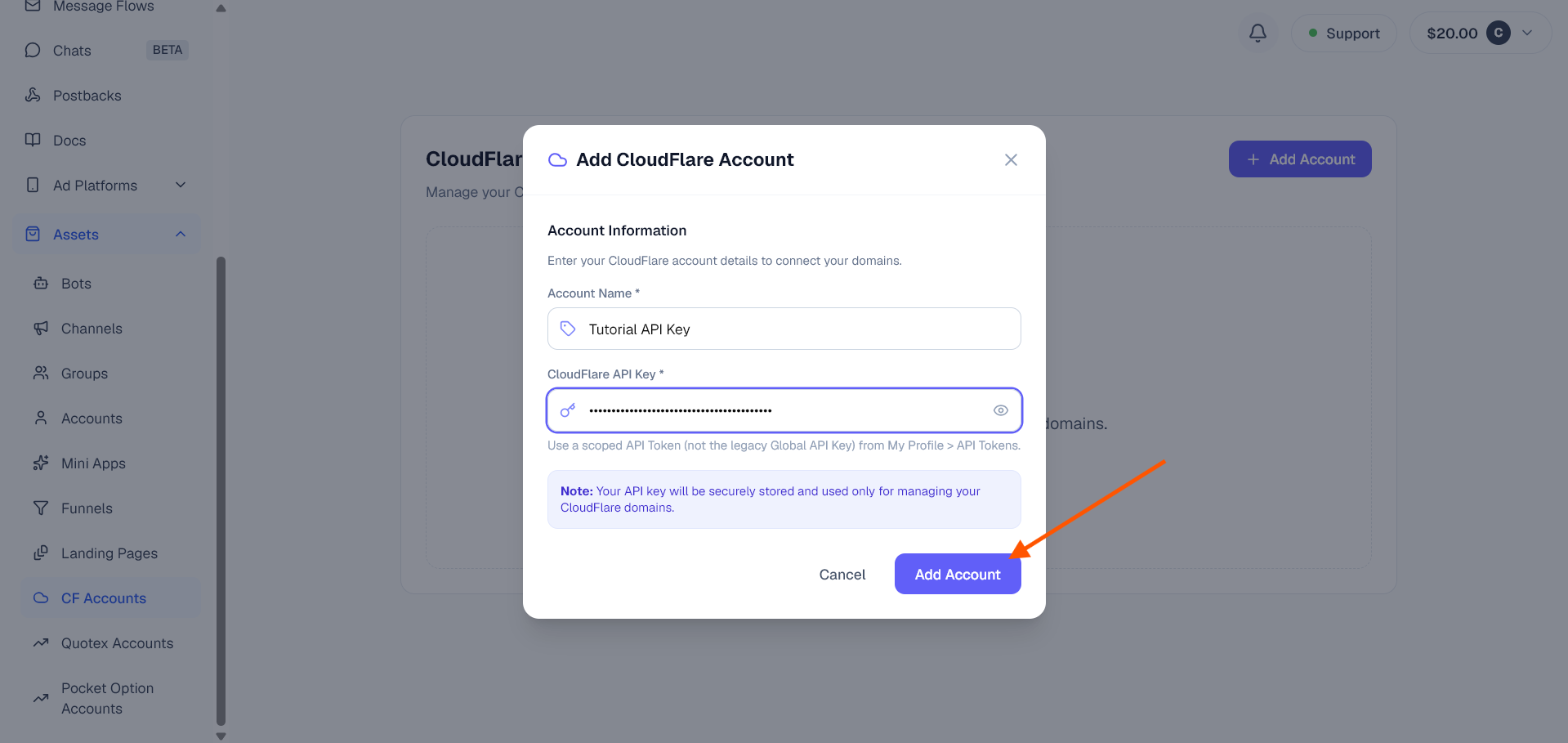
API key entry
Once your Cloudflare account is connected, you can easily manage your domains through our dashboard!